
Better late than never: the new terminal package
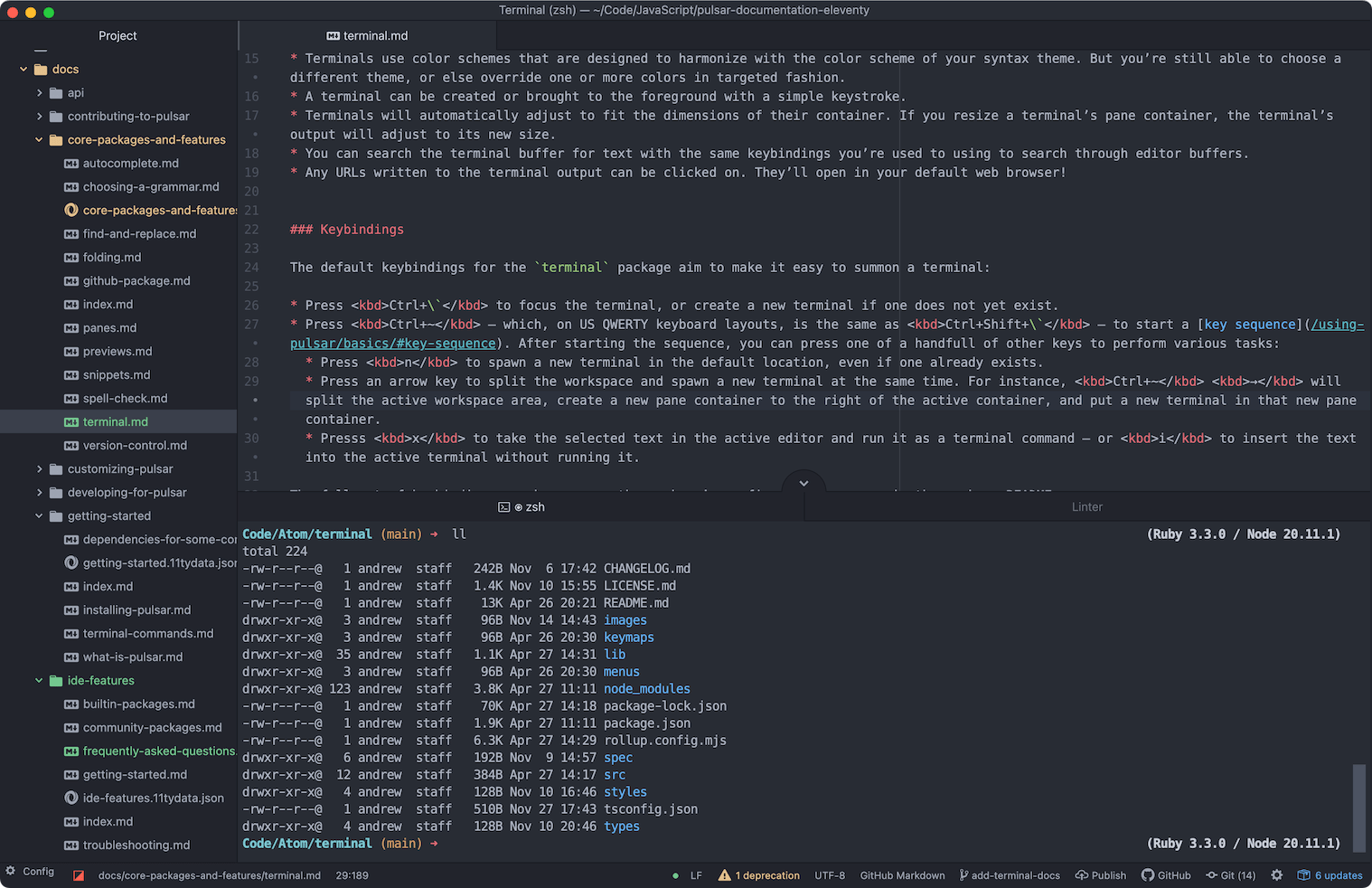
In advance of the release of Pulsar 1.132.0, I’m thrilled to announce that Pulsar now has a built-in terminal package — removing one of the biggest headaches for new users.
Motivations
Why a built-in terminal package, and why now? After all, we try to keep the core Pulsar experience lean. For years, Atom and Pulsar users who’ve wanted an integrated terminal have had to install a community package. What’s changed?
In short:
- Lots of users want an integrated terminal.
- They’re hard to install for most users in a way that most community packages aren’t.
- Bundling a terminal package therefore removes a major headache for new users and should vastly improve their day-one experience.
Lots of people use a terminal package
Every new core package adds weight to the Pulsar bundle. The best way for the new package to justify that extra weight is to deliver functionality that many users expect to be present.
And, indeed, questions about installing terminal packages are among the most common requests in our support channels. I’ve got no doubt that a core terminal package was frequently requested back in the Atom days; platformio-ide-terminal is, after all, the most popular community package of all time.
Many of our new users come over to us after having used Visual Studio Code, whose own built-in terminal likely influences their habits and expectations.
Ordinarily, even popularity wouldn’t be a magic bullet. One of our justifications for keeping the core so lean is the idea that anything that isn’t in the core takes only a few extra clicks to install. Yet…
It’s hard to install
Terminal packages in Pulsar are notoriously hard to install. That’s because they can’t be written in JavaScript alone! They require a library that supplies a pty, or pseudoterminal, in order to do terminal emulation — in this case, node-pty. And such libraries need to bridge to system-specific APIs.
A Node package that includes code written in a lower-level language — typically C++ — is usually called a native addon. If you want to install a Pulsar package with a dependency on a native addon (like node-pty), you’ve typically got to compile that addon for your own machine. That requires a C++ toolchain to be installed on your computer.
Whether that toolchain is already present depends on your operating system and the sort of software development you do. But no matter the platform, I’d bet that most users probably fail at installing a package like x-terminal-reloaded on the first attempt. And no matter how detailed our documentation is on the topic, there’s a limit to how user-friendly we can make this process. I’ve seen users give up on Pulsar at this early stage.
Most community packages don’t rely on native addons! How bad is our luck that one of the small handful of such packages is the one that new users most want to install on their first day of using Pulsar?
This affects the bundle-or-don’t-bundle calculus, to say the least. Bundling a terminal package bypasses all of these headaches! The needed compilation would happen at the same time that it happens for any other native modules used in Pulsar: when we build binaries for each operating system and processor architecture.
It also saves the user from having to roam around a graveyard of community terminal packages in our package registry, trying to figure out which one still works. Which reminds me…
It’s hard to keep community terminal packages working
We go through terminal packages faster than Spinal Tap goes through drummers! When users have asked which terminal package they should install, we’ve always recommended x-terminal-reloaded: it’s been maintained by Pulsar team member @Spiker985 for a few years, was known to work in Pulsar on all platforms, and was a strong candidate for addition to core in its own right. Yet x-terminal-reloaded is a fork of x-terminal, which was a fork of atom-xterm, which was a fork of term3, which was a fork of term2, which was a fork of term.
Maybe the maintainers of these packages all just happened to have very short attention spans. But I think it’s far more likely that terminal packages needed time and attention to keep up to date, especially in the early days of Atom and Node.
To illustrate, we need only look at the recent Electron modernization and the pains it caused. Like lots of other packages with native module dependencies, x-terminal-reloaded was affected by the upgrade from Electron 12 to Electron 30 — and to keep it working on newer Pulsar versions was a technical problem without an easy solution.
In short: node-pty now uses a multithreaded model on Windows to get around a deadlock issue. But this requires using Node’s worker_threads library — and Electron doesn’t support that library in the renderer process, which is the context where community packages execute code. So right now x-terminal-reloaded works just fine on macOS and Linux, but fails to spawn a terminal on Windows. This leaves Windows users with no working community terminal packages.
This, in fact, was the last straw. It could’ve been worked around with a major architectural change in x-terminal-reloaded — but it made much more sense to spend that effort on bringing a new terminal package into the core. We didn’t want to let this opportunity go to waste.
Architecture
These were my goals for terminal:
- Provide a simple, intuitive terminal integration that would suffice for at least 80% of users — while staying out of the way for those who don’t need it.
- Make it work reliably and durably on all three of the operating systems we support.
- Make it feel like a first-class part of Pulsar.
Features
The “easy” parts are the same across nearly all terminal packages: node-pty handles providing a pseudoterminal, and XTerm.js handles the rendering of terminal output.
I wanted to draw inspiration from community terminal packages, but I didn’t want a maximalist, power-user feature set! x-terminal-reloaded was the obvious place to start, so I studied that codebase for a while.
The long family tree from which it had descended meant that it had accumulated quite a few features over the years. I decided which ones were truly needed (theming, service integration) and which ones were overkill for most users (profiles). Then I started a new project and went to work.
It took me a while to realize that I was accidentally creating something very, very similar to the atom-community/terminal package, also known as atomic-terminal. When I started, I didn’t even realize this package existed. But it did see heavy development over a few years, and seemed to have similar goals around streamlining. It helped to confirm that I was moving in the right direction.
“Streamlined” doesn’t mean “minimalist,” though. I wanted terminal to have most of the features that users would expect. For instance, terminal supports text-searching in terminal panes via the same keybindings you’re used to for editor text search — a feature that, to my knowledge, isn’t present in x-terminal-reloaded or any of its predecessors.
And if streamlining is your goal, unobtrusiveness is a feature in itself! One of the ways we earn the right to add a new core package is to ensure it doesn’t annoy anyone who doesn’t need it. All packages, even core packages, can be disabled; but if a user feels the need to disable a core package, it’s a sign that the package got in their way! I made sure that terminal didn’t have any impact on performance — like startup time — unless a user actually had a terminal open.
Durability
This package needed to work a bit differently than community terminal packages have ever worked before. I described above how a crucial dependency, node-pty, can no longer run in the context of an Electron renderer process. But that’s a solved problem: we can spawn a child process in a pure Node-only environment, then communicate with it via message-passing. All usage of node-pty happens in this isolated Node process. This is a common technique in community packages, and we’ll probably be using it more in Pulsar core in the future.
The strange constraints of Electron’s renderer process are not considered important enough for most Node library authors to accommodate. We rely quite a bit on libraries like superstring and pathwatcher that have native addons — but, crucially, the Atom folks wrote those libraries, and we maintain them. If they suddenly needed changes in order to continue working properly in the renderer process, we’d make those changes!
By contrast, node-pty is maintained by Microsoft, and they have no particular motivation to ensure it continues to work under the conditions we need.
So even though this worker-process architecture is only strictly needed for Windows, we’re using it on every platform. The downsides are minimal, whereas the future pain we might be avoiding is substantial. By adding terminal to core, we’re committing to its ongoing maintenance, so we want to build a durable, future-proof foundation.
Integration with Pulsar
All packages should ideally feel like they’re part of Pulsar — but core packages especially! This will be an ongoing effort, but a few aspects required particular attention.
Styles
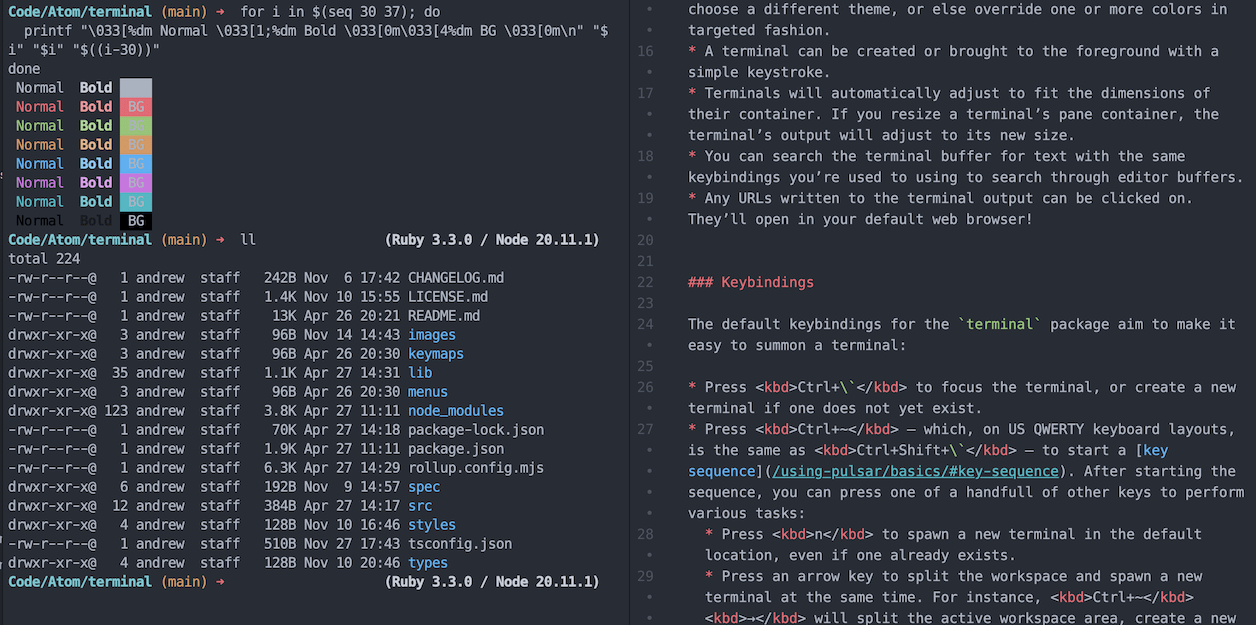
One way to make terminal feel like it belongs is to ensure that the terminal’s own colors match the colors of the user’s syntax theme.
Terminals follow the ANSI standard for four-bit colors: eight “regular” colors (which include black and white), plus eight “bold” variants of those colors.
Any syntax theme created from this point forward will be able to define terminal colors explicitly, with the expectation that the shades of red, blue, green, and the rest will match similar shades already being used by the theme.
But, of course, lots of you folks stick with a built-in theme! So we’ve made sure those eight built-in syntax themes specify their own terminal colors.
If you happen to use a theme that doesn’t define these colors, we’ll still be able to infer some values from your syntax theme, and use sensible fallbacks for the rest. You’ll be able to customize or replace the colors you see in the terminal via either package configuration or stylesheet overrides.
Keybindings
Community terminal packages have tended to register lots of commands and lots of associated keystrokes. But it’s already hard to find unused keybindings! I felt that a new core package should go out of its way not to be pushy here. This helps check the “unobtrusiveness” box: any new keybinding we introduce is something that might already be used by a community package, and I don’t want to disrupt anyone’s muscle memory.
That’s why most of the terminal package’s commands operate on key sequences. The main function (show me a terminal, or spawn one if none exists) gets a simple and memorable key binding at Ctrl+`, but nearly all other commands are a sequence of two different keystrokes.
For instance: there are separate commands for opening a terminal in various “directions.” You might want to open a terminal to the right of the current editor, splitting the pane container. A key sequence makes this easy to remember, and harmonizes with existing key sequences for similar tasks; we can bind this command to Ctrl+~ →. If you want to open the new terminal in a different direction, you can simply use a different arrow key; Ctrl+~ ← will split the pane container and open a terminal to the left rather than the right. This matches similar key sequences already present in Pulsar for splitting panes and moving cursor focus between pane items.
All the terminal key sequences, in fact, can be started with the same key binding: Ctrl+~ (i.e., Ctrl+Shift+` if you’re using a US QWERTY keyboard).
The downside to this approach is that, on non-US keyboard layouts, some of these bindings will wind up on unexpected keys! The ` and ~ glyphs live together in the US, but often split up and do their own thing when they travel abroad. Ideally, we’d always target the key just above Tab and to the left of 1, regardless of which characters are assigned to that key in a given layout. We have a plan to make this possible, but it’ll take a bit of gruntwork.
In the meantime, if you don’t like the keybindings we chose, you can can remap them the same way you’d customize any other keybindings.
Help us test it!
As I mentioned, the status quo on Windows (no known working terminal packages since 1.131.0!) made this an urgent package to get into core. This package is ready to use, but it is nowhere near feature-complete, and we’d love to get some feedback from users. So please put it through its paces and report any bugs you find.
A few users helped us with beta testing — and special thanks to @Daeraxa for doing some intensive QA work in the last couple weeks! — but experience has told us that the best way to get testers is to ship code in the regular release. You may consider this package “experimental” in that it’s not seen much real-world usage yet, but make no mistake — it’s here to stay.
If you don’t like the new terminal package, you can keep using x-terminal-reloaded if you’re on macOS or Linux. Windows users don’t have a working alternative yet, but we’d be happy to give some guidance if you wanted to build a power-user, feature-stuffed community terminal package that works across all three of the platforms we support.
In the meantime, we’re excited to be shipping this feature, since it’s probably the most meaningful change we can make toward improving the “out-of-box” experience for a new Pulsar user. We’ve got ideas for deeper integration between the terminal and the rest of Pulsar and plan to tackle them over time. Happy coding to all you spacefarers, and enjoy the new toys on board!